How to update your billing details
In this guide, we explain how to update your billing information for a Framer Workspace.
Billing information
Billing details are managed at the Workspace level. Follow these steps to update your billing information:
Log into your account:
Go to the Dashboard and use the Workspace selector to choose the Workspace with your subscription.
Open Workspace settings:
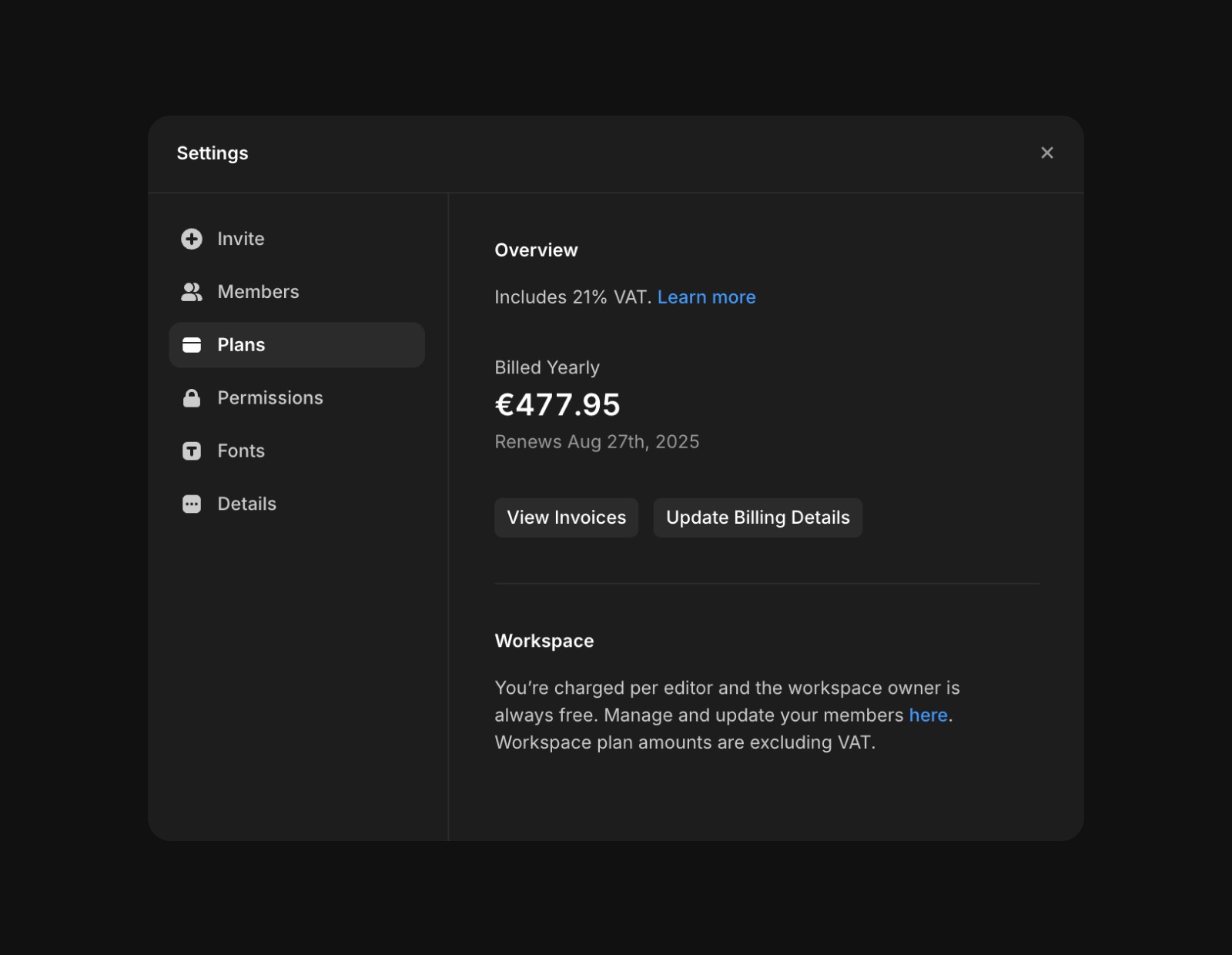
Click Settings in the left sidebar.
Access your plan details:
In the Workspace settings, select the Plans tab to view your active subscriptions.
Update billing details:
Click the Update Billing Details button. You’ll be redirected to our payment provider’s website to update your billing information.
For any billing-related inquiries or assistance, please contact Framer support.
How do I update my billing information in Framer?
To update your billing information, log into your account, go to the Dashboard, and use the Workspace selector to choose the Workspace with your subscription. Then, click Settings in the left sidebar, select the Plans tab in Workspace settings, and click the Update Billing Details button. You’ll be redirected to our payment provider’s website to update your billing information.
Where can I find my active subscriptions in Framer?
You can view your active subscriptions by opening Workspace settings and selecting the Plans tab.
Who should I contact if I have billing-related questions or need assistance?
For any billing-related inquiries or assistance, please contact Framer support.
Updated