How to reverse zoom scroll direction
This option lets you adjust the zoom direction for a seamless experience, mimicking the default scroll zoom behavior in Figma and Adobe apps by flipping the direction in Framer.
Steps to customize the zoom direction
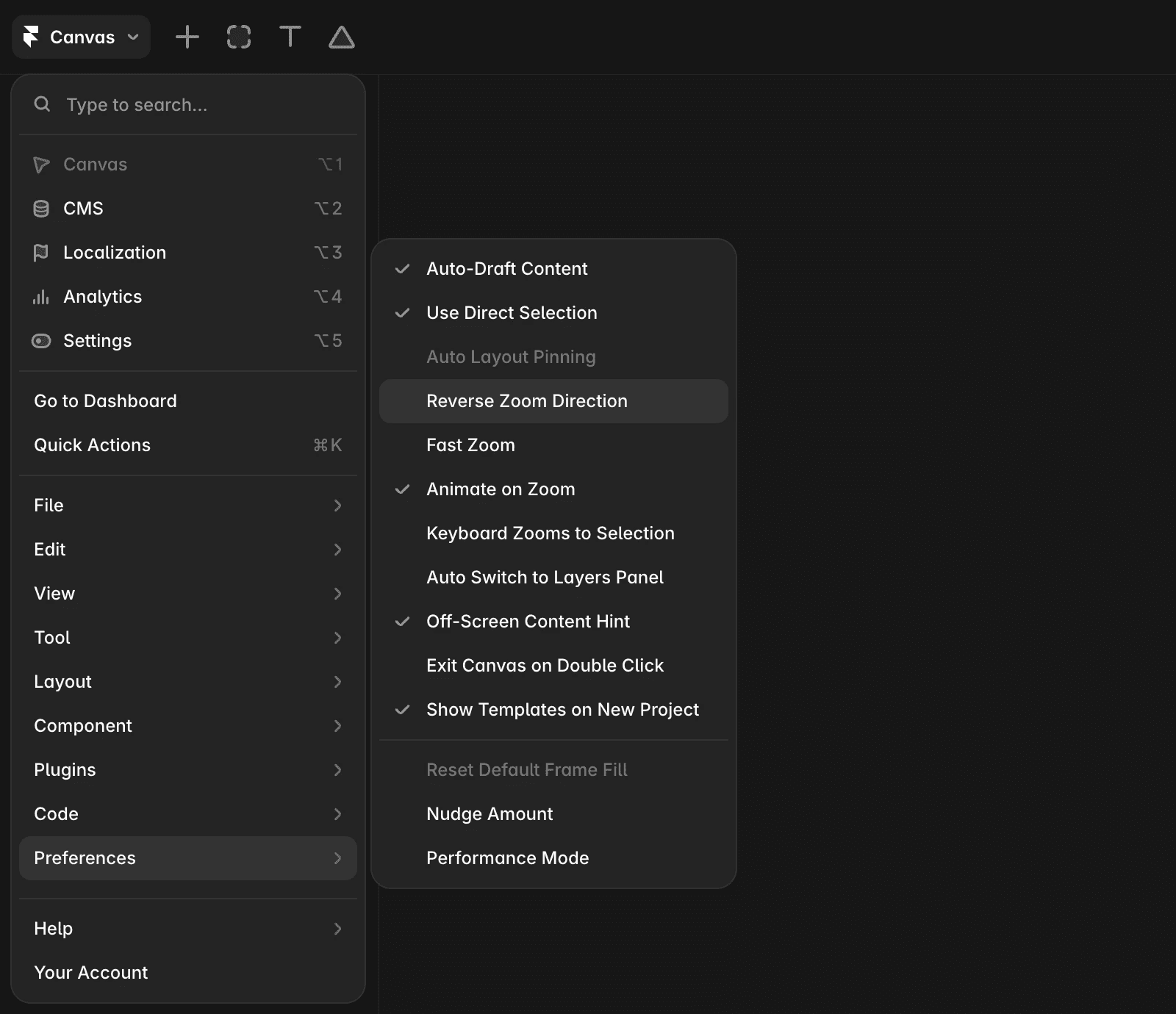
Click the Framer logo in the top-left corner.
Navigate to Preferences.
Select the option “Reverse Zoom Direction”.
FAQ
How can I reverse the zoom scroll direction in Framer?
Click the Framer logo in the top-left corner, navigate to Preferences, and select the option 'Reverse Zoom Direction.'
Where do I find the option to change the zoom direction in Framer?
You can find the option by clicking the Framer logo in the top-left corner, then going to Preferences and selecting 'Reverse Zoom Direction.'
What steps do I follow to customize the zoom direction in Framer?
First, click the Framer logo in the top-left corner. Next, navigate to Preferences. Finally, select the option 'Reverse Zoom Direction.'
Updated
