Delete a workspace
Learn how to permanently delete a workspace and what happens to its members and projects.
Deleting a workspace removes access for all members and cannot be undone. Before proceeding, make sure you understand how this action affects projects and workspace collaborators.
Before you delete a workspace
When a workspace is deleted:
All members lose access to the workspace.
Projects from the workspace are moved to the Archive for each project owner.
The workspace and its settings are permanently removed.
This action cannot be reversed.
Delete a workspace
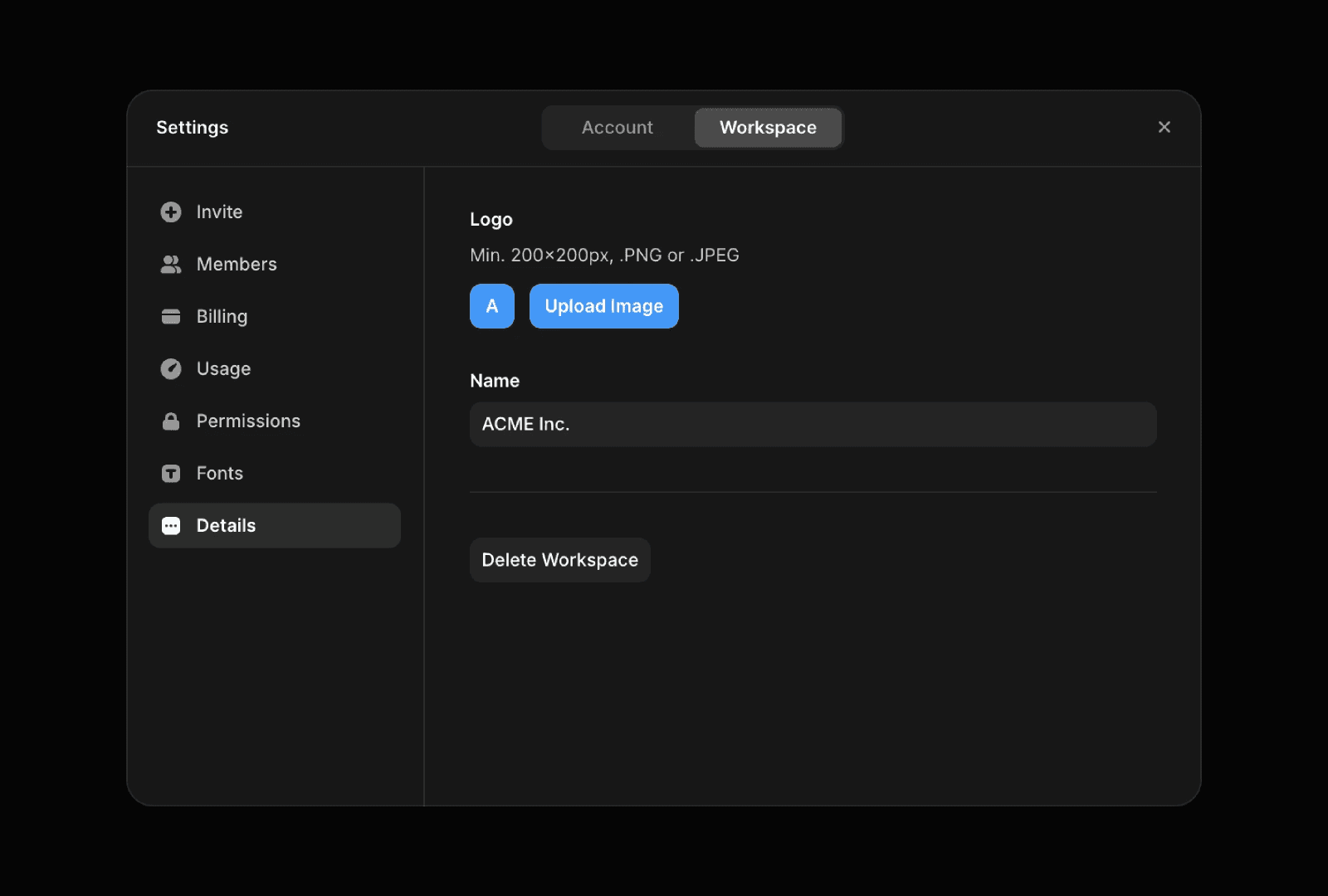
To delete a workspace:
Open the Dashboard.
Select the workspace you want to delete from the workspace switcher in the top-left corner.
Click Settings in the left sidebar.
Open the Details tab.
Click Delete Workspace.
Confirm the deletion in the dialog that appears.
What happens to projects?
Projects are not permanently deleted when a workspace is removed. Instead, they are moved to the Archive for each project owner, where they can still be accessed and managed by their respective owners.
FAQ
Can I restore a workspace after deleting it?
No. Workspace deletion is permanent and cannot be undone.
What happens to workspace members?
All members immediately lose access to the deleted workspace.
Are projects deleted when a workspace is removed?
No. Projects are moved to the Archive for each project owner rather than being permanently deleted.
Updated
